
I originally wrote this article after creating the outline and content for a recorded webinar. It awakened long suppressed memories of webinars that have gone sideways in my career.
It happens on a regular basis. Professional journalists are ambushed by an unexpected incident: Animals ambling within camera view, people photobombing, filter generators overlaying silly hats, and technical glitches in which nothing appears on-screen or the wrong image is displayed.
If professional journalists have occasional mishaps, it’s no surprise that office workers, educators, and others who set up and participate in webinars often need to remedy audio quality, madly scramble to get an image or video to properly display or troubleshoot why a set of attendees can’t hear or see what’s being presented. For some people, who’ve hosted or appeared in webinars that went regrettably sideways, the mention of “webinar” can evoke the same fear as spiders, snakes, and confined spaces.
Happily, there are steps you can take to circumvent some of the issues, which can occur when creating and presenting a webinar.
Pre-record and playback
Unless you’re announcing time-sensitive information, such as financial earnings or holding a webinar during an event, not all the content presented needs to be live. Instead, it can be pre-recorded. When attendees log on, provide a live introduction, followed by pre-recorded content, and a live question-and-answer session.
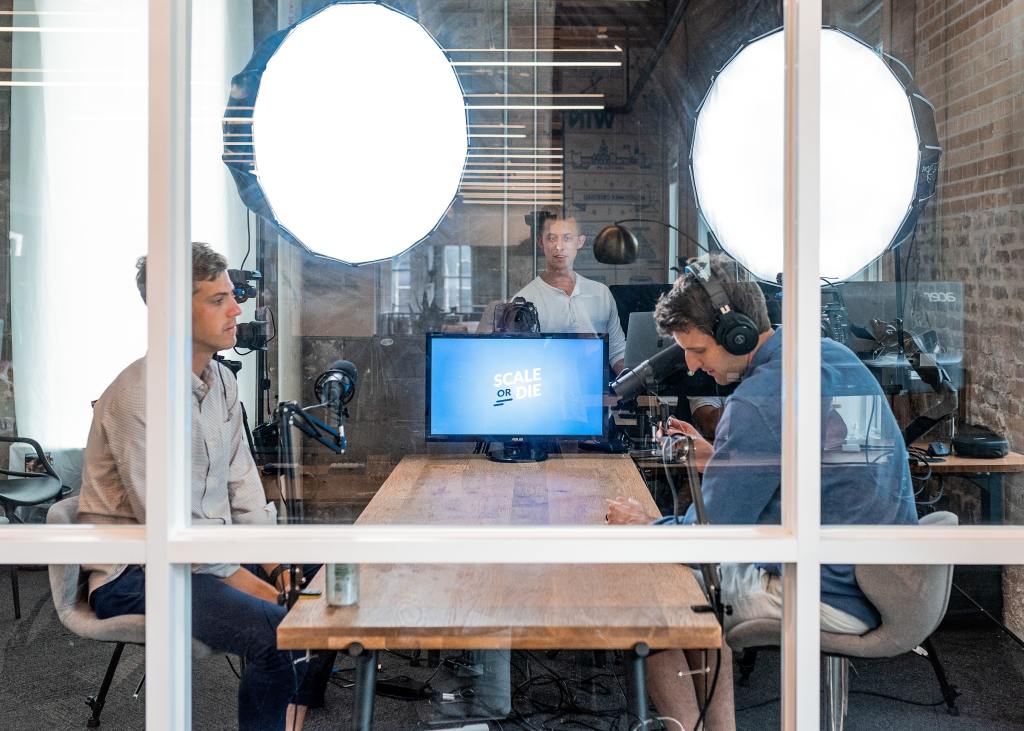
In this manner, you can shoot or capture most of the content in a less stressful, controlled environment, and if necessary, edit or re-shoot. Additionally, you might realize what you thought was 30 minutes of content is actually 60 minutes, providing the opportunity to create two, shorter webinars.
Accommodate viewers with on-demand
Studies suggest 20-40% of webinar attendees turn into qualified leads with 73% of B2B marketers and sales leaders concurring webinars are the best way to generate high-quality leads.[1] The challenge, however, is getting potential customers to attend your webinar.
On average, only 35-45% of those who register for a webinar end up attending.[2] Consider, if your potential audience is located around the world, expecting someone in India to attend a live webinar, being broadcast from Los Angeles at 10 in the morning when it’s 10:30 at night in Bangalore is a unreasonable. It makes sense, therefore, to make your webinar on-demand, either following the live broadcast or skip the live broadcast and simply post a link to your webinar so it can be accessed at any time by anyone.
To make the webinar more interactive, be sure to include a URL at the end, which enables participants to get additional information, email a subject matter expert, register for other webinars, or access downloadable content, such as a white paper.
Remove the doubt
Many years ago, I coordinated monthly webinars in concert with a trade publication. Hundreds of people would attend so I always held the webinars in an executive conference room, which had the best connectivity. On one occasion, the day before the webinar, I was booted from the room. I scrambled to find another place to hold the webinar, but could only secure a conference room with sketchy–at best–connectivity.
It took over 20 minutes to remedy the many issues, including swapping the presenter’s laptop for one with better wireless capabilities.
If you have any doubt about the technologies available to conduct a live webinar, it might be best to cancel and later provide an on-demand version. A botched webinar is like someone showing up at your trade show booth and none of your equipment works.
Respect your audience’s time by providing the best possible webinar experience.
Practice to iron out the kinks
While technology enables a webinar, it’s the speakers that deliver the content, and ultimately, elevate your company’s offerings and credibility. It’s wise, therefore, to practice your webinar a day or two before the live event, which provides the opportunity to tweak the content, switch around the speakers, and practice displaying rich media, such as videos and animations.
Ensure everyone who will be presenting are either in the conference room or on the phone at least half an hour before the start of a webinar. During this time, ensure your presentation material is properly displaying, click on links to external content to verify they load correctly, and discuss last minute details, such as the process for vetting questions before they’re posed to presenters.
And because some attendees like to join a few minutes before the scheduled webinar, it doesn’t hurt to start the webinar early and welcome them. Plus, it provides the opportunity to test, and then adjust your audio, webcam, and display settings.
Engagement is key
The most effective webinars keep participants engaged, such as asking ice-breaker questions, polling attendees, and encouraging the download of supplemental content. Slideware can also be animated with unexpected images and catchy headlines.
Prior to the webinar, prepare a few questions that can be used to kick off the question and answer session. You can simply say, “We received a few questions earlier this week from people who couldn’t attend. One of them is…”
More is better
While having too many people work on a project can be a hinderance, with webinars, more help is better, especially, if you’re using chat or instant messaging capabilities. One person can vet and share questions with the presenters while another responds to issues, such as reminding participants to mute their microphones.
Having a second person is also valuable if you have an equipment issue and need them to retrieve a newer laptop with better Wi-Fi capabilities to overcome sketchy connectivity!
Finally, unless your webinar is on a somber topic, don’t be afraid to add levity or have a few slipups. It’s okay if a presenter stumbles over a sentence or two slides are advanced instead of one. A webinar like a sales pitch doesn’t have to be perfect. You simply need to connect with your audience, provide them with engaging and useful content, and leave them feeling good about your company and what it offers.
Thank you to Austin Distel for his photo on Unsplash
[1] 10 Metrics to Measure B2B Marketing Webinars, ZoomInfo, Sam Holzman, August 12, 2019, https://blog.zoominfo.com/webinar-metrics/
[2] 12 Webinar Statistics You Need to Know, BigMarker, June 2, 2017, https://medium.com/@BigMarker/12-webinar-statistics-you-need-to-know-b3e28b275abe
 scribbles